

Logo shown is the property of CounselLink, used for identification purposes only.
CounselLink — Features & Reviews
Book a consultation and find the right legal solution for your firm.
Enterprise legal management platform for corporate legal spend and matters. Get a free, unbiased consultation from Software Finder to see if CounselLink is the right fit — and how it compares to the leading legal software.
What you can do with CounselLink
Matter management
Track cases, deadlines & docs
Time & billing
Capture time and send invoices
Trust accounting
IOLTA-compliant ledgers
Client intake
Convert leads with e-signature
Get CounselLink Pricing
Fill in the details to get CounselLink pricing tailored to your firm.
Software Finder is an independent software marketplace — not CounselLink, and not affiliated with or endorsed by them.
By submitting, you agree to Software Finder's Terms of Service and Privacy Policy and consent to be contacted by Software Finder and one or more matched software vendors (which may include CounselLink) about your request. You can opt out at any time.
CounselLink helps legal teams centralize matters, capture more billable time, and stay compliant with trust accounting. Firms of all sizes use it to reduce admin work, get invoices out faster, and give clients a better experience. Book a Software Finder consultation to see how CounselLink stacks up against comparable legal platforms.
Overview
What is CounselLink?
CounselLink is a legal software platform designed to help law firms and in-house legal teams run their practice more efficiently. Enterprise legal management platform for corporate legal spend and matters. From matter intake through billing and reporting, CounselLink is built around how legal work actually happens — giving attorneys and staff a single, consistent workspace.
Best for
Law firms and legal teams that want practice management, billing, and client workflows in a modern, cloud-based tool instead of stitched-together spreadsheets and legacy software.
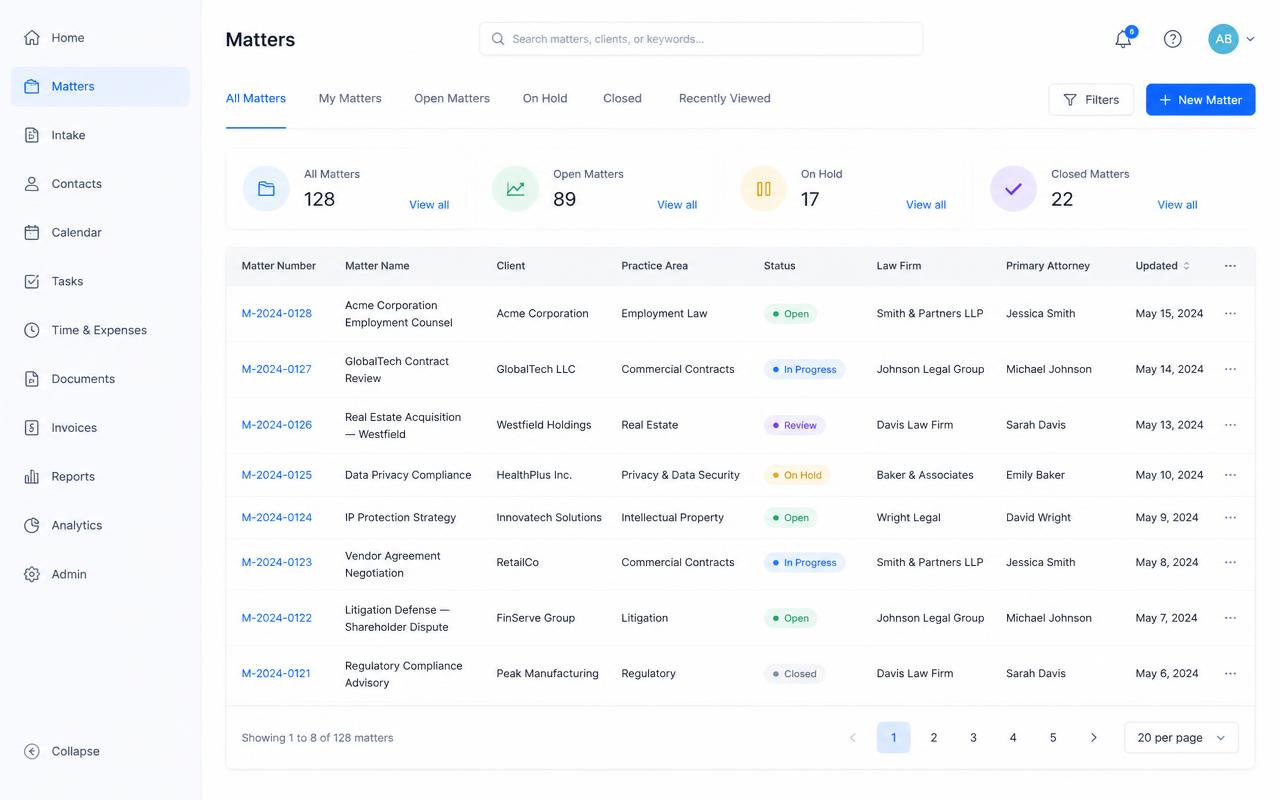
Image sourced from CounselLink website
Feature 01
Manage matters from intake to invoice
Give your team one place to track every matter, deadline, and document. CounselLink keeps case data, contacts, and communication linked so nothing gets lost between systems.
- Centralized matter and contact records
- Deadlines, tasks and calendaring
- Document storage tied to each matter
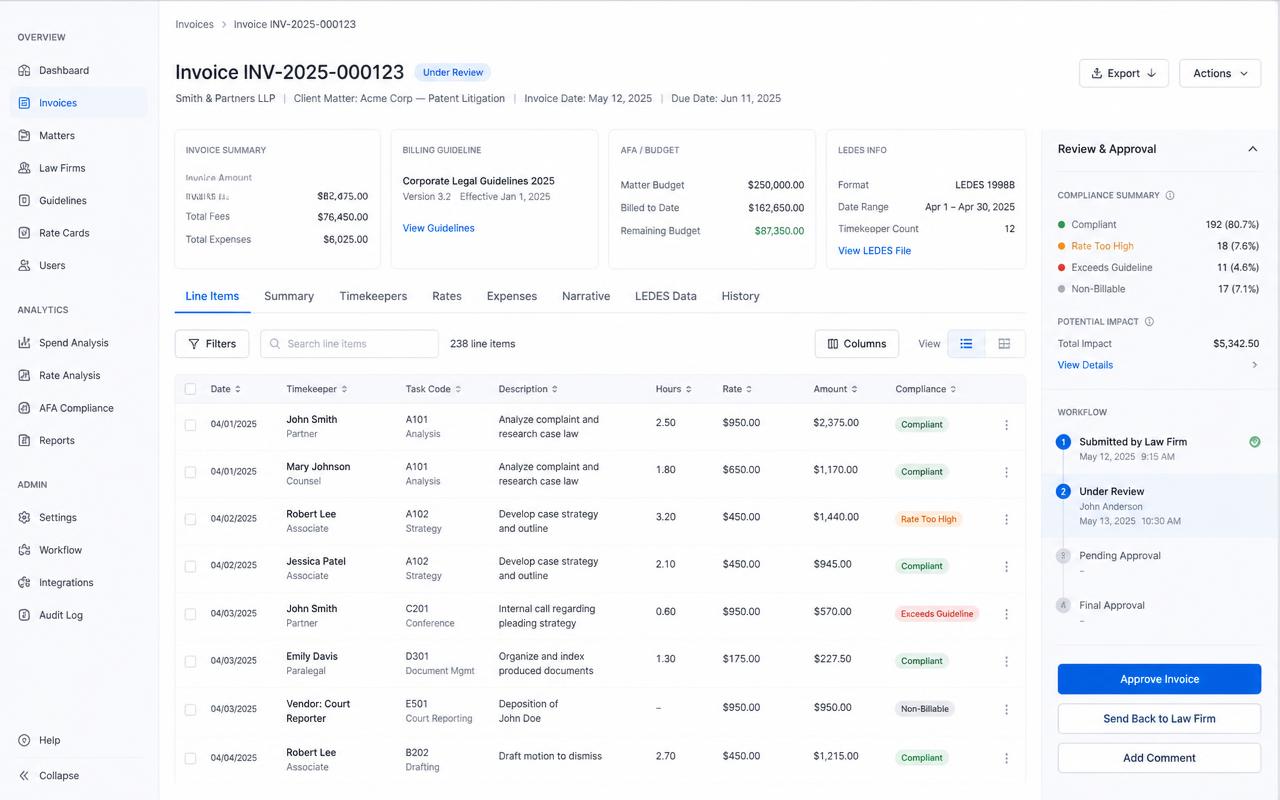
Image sourced from CounselLink website
Feature 02
Capture billable time and get paid faster
Turn every minute of work into revenue. CounselLink makes it easy to record time from wherever you work, generate LEDES-compliant invoices, and collect payments online.
- Timers, timesheets and passive capture
- Custom billing rates and rules
- Online payments and trust-safe workflows
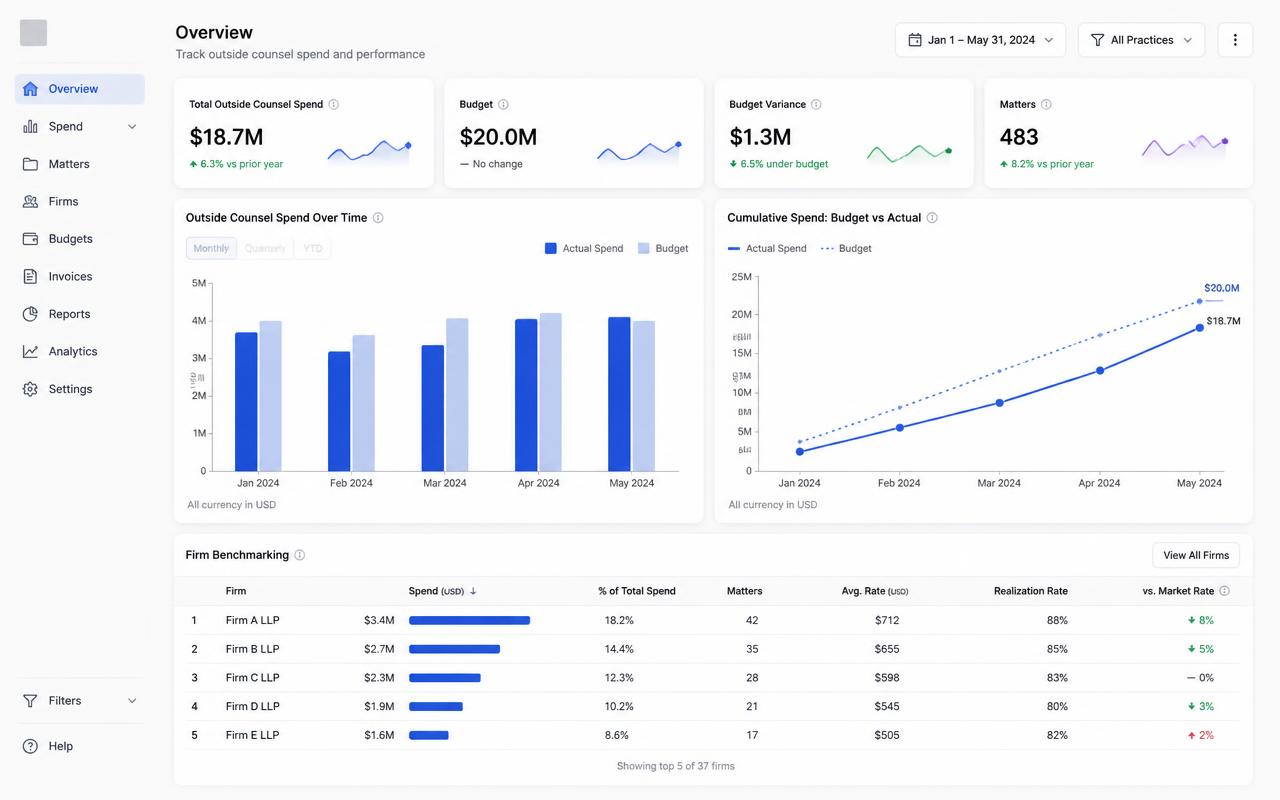
Image sourced from CounselLink website
Feature 03
Report on profitability and firm performance
Stop guessing. CounselLink gives partners and legal ops leaders the dashboards they need to track realization, utilization, matter profitability, and outside counsel spend.
- Realization and utilization dashboards
- Matter and client profitability views
- Exportable reports for finance and partners
Audience
Who is CounselLink for?
Use cases
Common ways teams use CounselLink
Small & mid-size law firms
Practice management, billing, and client intake built for firms scaling with CounselLink.
In-house legal teams
Manage matters, spend, and outside counsel — mapped to how corporate legal actually works.
Litigation & ediscovery
Handle document review, productions, and case timelines without spreadsheet chaos.
Legal operations & finance
Track realization, matter profitability, and vendor performance across the practice.
★★★★★
4.5 / 5 (based on 200+ reviews)
Here is what users are saying about CounselLink: Reviewers highlight CounselLink's e-billing accuracy, outside counsel management, and reporting depth.
Features
CounselLink features
A snapshot of the capabilities legal teams rely on most.
Matter management
Centralize case data, deadlines and contacts.
Time & billing
Capture billable time and issue LEDES invoices.
Trust accounting
IOLTA-compliant ledgers with three-way reconciliation.
Document automation
Turn templates into finished documents in minutes.
Client intake & CRM
Convert leads with intake forms and e-signature.
Reporting & analytics
Dashboards for utilization and profitability.
Pros & cons
CounselLink pros and cons
Pros
- Purpose-built for legal workflows
- Fast onboarding and clean UI
- Strong billing and trust accounting
- Solid integrations with Microsoft 365 & QuickBooks
Cons
- −Advanced reporting can require setup
- −Pricing varies by firm size and modules
- −Some features gated to higher tiers
FAQ
Common questions about CounselLink
Book a CounselLink Demo
Fill in the details to schedule a CounselLink demo with our team.
Software Finder is an independent software marketplace — not CounselLink, and not affiliated with or endorsed by them.
By submitting, you agree to Software Finder's Terms of Service and Privacy Policy and consent to be contacted by Software Finder and one or more matched software vendors (which may include CounselLink) about your request. You can opt out at any time.
Still comparing?
Still comparing options? Get the right legal software matched to your firm, no pressure.
Software Finder helps firms and in-house teams shortlist the best legal platforms — including CounselLink — based on your practice area, firm size and budget. Free, unbiased, and takes just a few minutes.